Árvore Healthcare

A procurement catalogue and editorial CMS for a medical-equipment supplier, built and tested ahead of launch.

Industry
Healthcare
Product
Catalogue and CMS platform
Our role
Platform design, engineering and data import
Status
Pre-launch
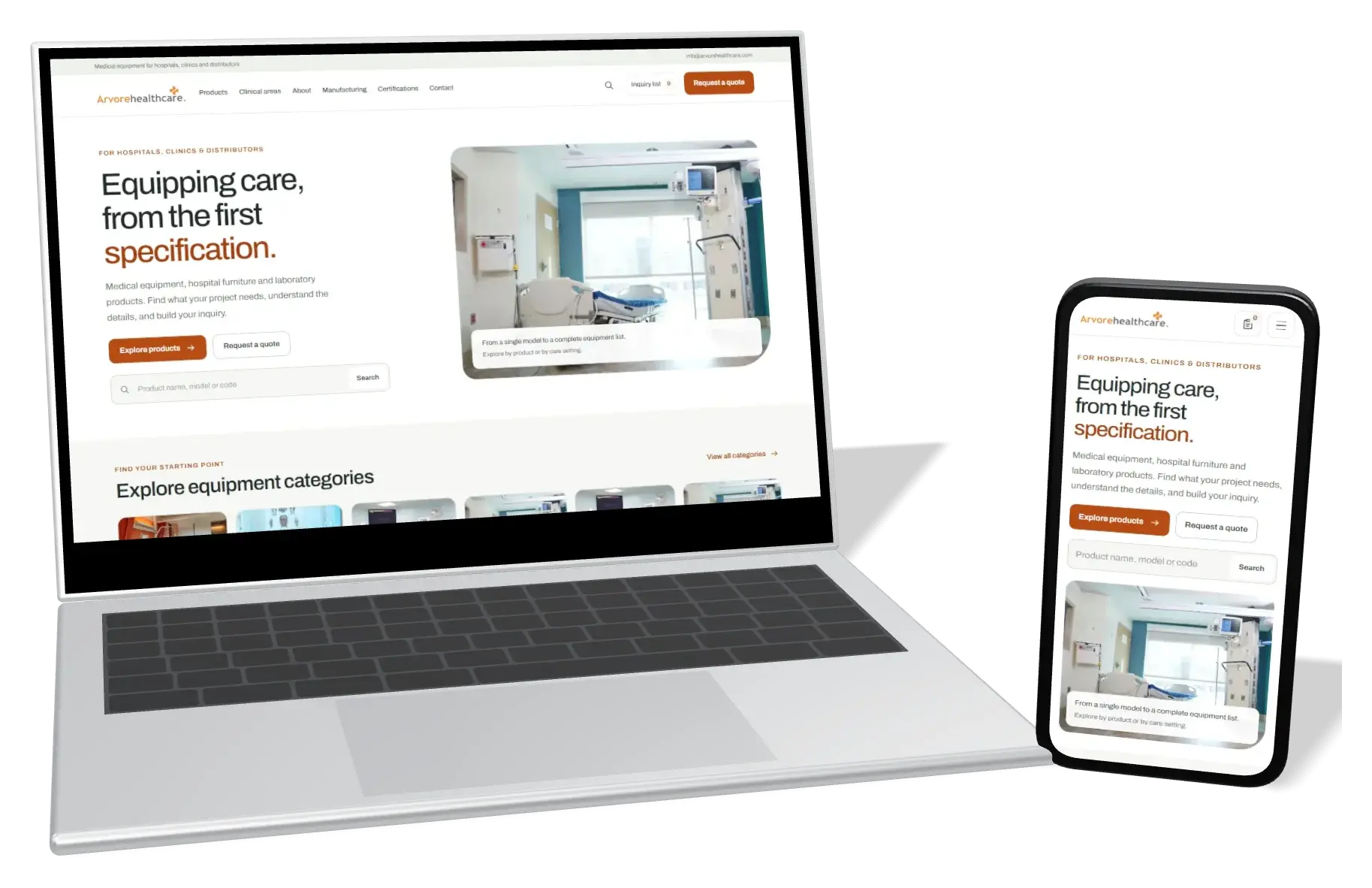
Árvore Healthcare on a laptop and a phone, showing its real screens.

The story

Business context

Árvore Healthcare supplies medical equipment, hospital furniture, surgical instruments and laboratory products from India. Hospitals, clinics and distributors buy by specification: they need the right model, its configurations and a quote, not a shopping cart.

The opportunity

The product knowledge existed, but in an archive of spreadsheets, product sheets and images, with inconsistent names, missing fields and duplicate codes. A catalogue built on that without care would publish errors at scale.

What we built

A catalogue platform with two halves. The public site lets buyers navigate 18 categories, search by name or code, compare models and collect them into an inquiry. The CMS behind it gives Árvore's team a review-and-publish workflow, roles for editors and translators, and a versioned API.

The larger piece of work was the data. We imported 4,268 products from the client's archive without inventing anything: every field records where it came from, and every gap went back to the client as a correction list. Images were matched by content, not file name.

Where it stands

The platform is built and tested but not yet launched. Launch waits on decisions only the client can make, including hosting, product photography and approval of product content. Until then, the client's domain shows an earlier website that we did not build.

Engineering highlights

The client supplied a ZIP of spreadsheets, product sheets and images. Most of the work was making that data reliable.

  1. An import that invents nothing

    Every product field records its source. Gaps were left empty with a reason and returned to the client as correction lists.

  2. Staged, repeatable loads

    Batches of 25, 250 and 1,200 products ran before the full set, with dry runs and reconciliation. A repeat run changes nothing.

  3. Images matched by content

    2,923 unique images are identified by hash, duplicates are collapsed, and every product match records its confidence.

  4. Decisions on record

    Thirteen architecture decision records, including workarounds for framework bugs found during the build.

Inside the interface

Equipment catalogue with category navigation, search and a view switch.
The catalogue uses the client's own taxonomy: 18 categories and 204 sub-categories, with grid, list and navigator views.
Árvore catalogue home page on a phone.
The same catalogue on a phone, with search first.

What it does

  • Find the right model

    A category navigator, search by name or code, and filters across 18 categories.

  • Typo-tolerant search

    PostgreSQL full-text and trigram search, with exact matches for product codes.

  • Inquiry list and comparison

    Buyers collect products into an inquiry, compare up to four, and request a quote.

  • Protected inquiries

    Submissions go through the server with honeypot, timing, rate-limit and bot checks.

  • Editorial workflow

    Draft, review, approval and publication are enforced in the database, with roles for editors and translators.

  • Signed updates

    Publishing in the CMS refreshes the public pages through a signed, retried notification.

Technology

Taken from the project's code and configuration.

Front end
Next.js 16, React 19, TypeScript, Tailwind CSS 4
CMS and API
Strapi 5, versioned REST API, OpenAPI
Data and search
PostgreSQL, full-text and pg_trgm search
Import
Python archive parser, TypeScript loaders
Quality
Playwright, axe-core, GitHub Actions, Docker

Status and evidence

Pre-launch. The platform is built and tested; launch is waiting on client inputs such as hosting, product photography and approval of product content. The client's current website at its domain is an earlier site that we did not build.

Let's make it useful

Share the problem, the people it affects, and what a useful result would look like.

  1. Tell us a little about your project
  2. We review the context and requirements
  3. We agree the most useful next step